
Efficient work organization with minimal tools:
My recommendations
Efficient work organization is essential for productive and structured work. Especially in a digital environment like ours, it is important to use clear processes and tools that make everyday work easier. Hybrid working models, digitalization, modern working environments, and remote work are becoming increasingly important. Here are some proven methods that help us at 3kubik to maintain an overview and work efficiently.
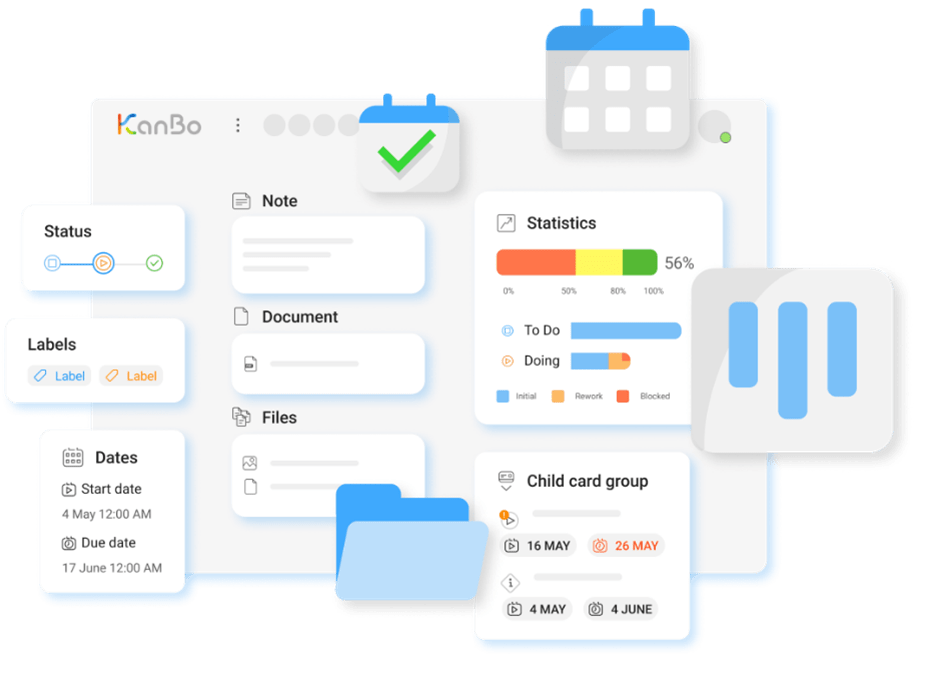
Task management with KanBo – transparency and structure
Well-organized task management is crucial for efficient and productive work. That’s why I strongly recommend using a central tool that bundles tasks in a transparent and structured way. Digital solutions such as Microsoft Planner, Trello, Jira, or Asana offer many possibilities here—the key is to clarify in advance which functions are really needed and which systems need to be integrated.
KanBo has proven itself to be absolutely indispensable for us. Although Microsoft Planner is included in our license, we deliberately chose KanBo because it offers us decisive advantages. In addition to seamless integration with Microsoft, KanBo enables more detailed and flexible task management that is optimally suited to our requirements. Particularly impressive are features such as parent and child cards, mentions of people, individual notification settings, and the ability to map predecessors and successors in task processes, and much more. These features facilitate collaboration, make workflows more transparent, and help us to control processes efficiently.
In addition, we have stored various templates that optimize our processes and make recurring tasks more efficient. This allows us to maintain an overview at all times, work more productively, and map our workflows exactly as we need them.
Another advantage is the integration of external customers into our boards, which eliminates the need for long email chains. This keeps communication direct, efficient, and transparent. There are separate boards for customer projects so that external partners receive exactly the relevant information. At the same time, we have internal boards for areas such as marketing or acquisition to efficiently organize internal company processes.
KanBo also offers a high level of transparency, even in the event of sick leave or vacation. Thanks to centralized task management, every team member can view the current status at any time and seamlessly take over if a colleague is absent.
MyBoard is particularly helpful, as it filters all tasks that you are either directly assigned to or “following.” This allows you to see at a glance which tasks are pending without having to click through different boards. MyBoard can be structured individually, for example with columns for: New, Next, Today/This Week, Done, Regular, Etc. This allows everyone to keep track of their priorities and flexibly adjust tasks.
Use Outlook for structured weekly planning
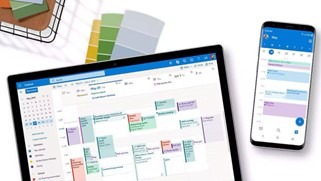
Forward planning is crucial for realistically assessing your own workload and working efficiently. That’s why I strongly recommend using Outlook not only for meetings, but also for reserving specific time slots for important tasks.
In our team, this method is an integral part of our daily work routine – and it has proven to be extremely effective. We not only schedule client appointments and internal meetings, but also set aside specific times for preparation, research, or strategic projects. This allows us to maintain an overview, work in a more structured manner, and plan our tasks realistically. At the same time, it enables our colleagues to see when someone is available at any given time, which makes collaboration much easier.
And I’ll admit it here and now, I am the calendar stalker in our team – and I have no guilty conscience about it. After all, I’m not the witch with the crystal ball🔮 who keeps an eye on everything in the team for nothing. While others are still thinking about when they actually have vacation, I already have it on my radar. This regularly causes hearty laughter when I know sooner than the person themselves that they have time off.
But honestly, it’s not so bad when at least one person keeps track of everything. From experience, I can say that this has often been practical – either because appointments would otherwise have clashed or because no one knew what was planned and when. Of course, I’m not perfect and sometimes I overlook things, but when in doubt, I simply rely on my crystal ball – or Outlook 😉
This structured approach also helps us to recognize early on whether our workload is realistic or whether tasks need to be redistributed. Of course, there are always spontaneous issues, but thanks to well-thought-out planning, we know exactly which tasks are flexible and which have priority. I can only recommend this way of working—it ensures greater efficiency, transparency, and better self-organization in everyday work.
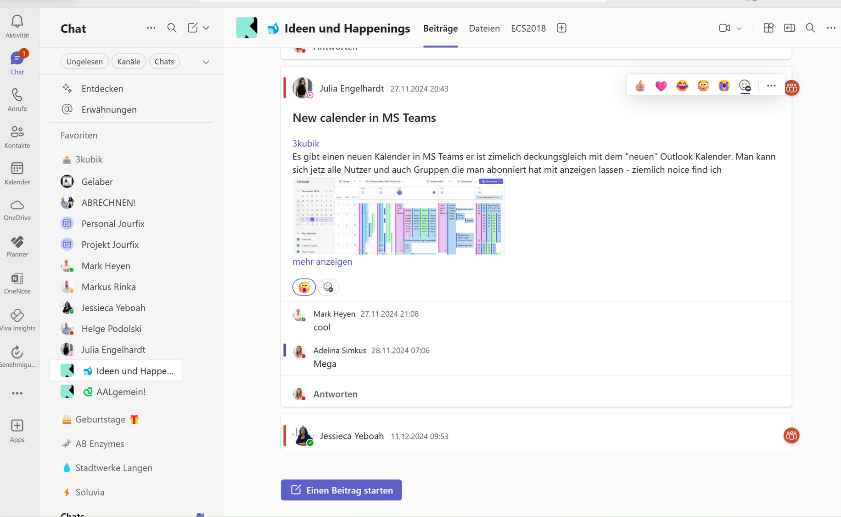
Use Microsoft Teams as your central communication platform
We use Microsoft Teams as our central communication platform and have eliminated internal emails from the outset. I highly recommend this approach, as it has proven to be very effective for us.
Personal chats enable quick coordination, while Teams channels are used for official information. This keeps our communication efficient, transparent, and consistent, even when interacting with external customers.
A central component of our working method is the respectful use of team status. No one is called unannounced. Instead, we ask in advance via message whether the person is available. This rule has helped us to avoid unnecessary interruptions.
A study by the University of California Irvine shows that it takes an average of 23 minutes to regain concentration after an interruption. That’s exactly why we make sure to minimize distractions.
I highly recommend this approach because it ensures clear and structured communication and helps us work in a more focused and productive manner.
If you would like to learn more about how we use Teams, we have another blog post with detailed information here: Microsoft Teams at 3kubik
Regular meetings for coordination and updates
Well-structured communication is essential, whether in a remote team or in the office. That’s why I recommend that every team schedule fixed times for communication. At our company, we have found that internal Fridays, when we meet digitally with camera and audio, have proven successful.
• Staff jour fixe: Here we exchange personal and professional highlights, successes, and challenges. Each team member provides insight into their own week, which strengthens team cohesion and ensures greater transparency.
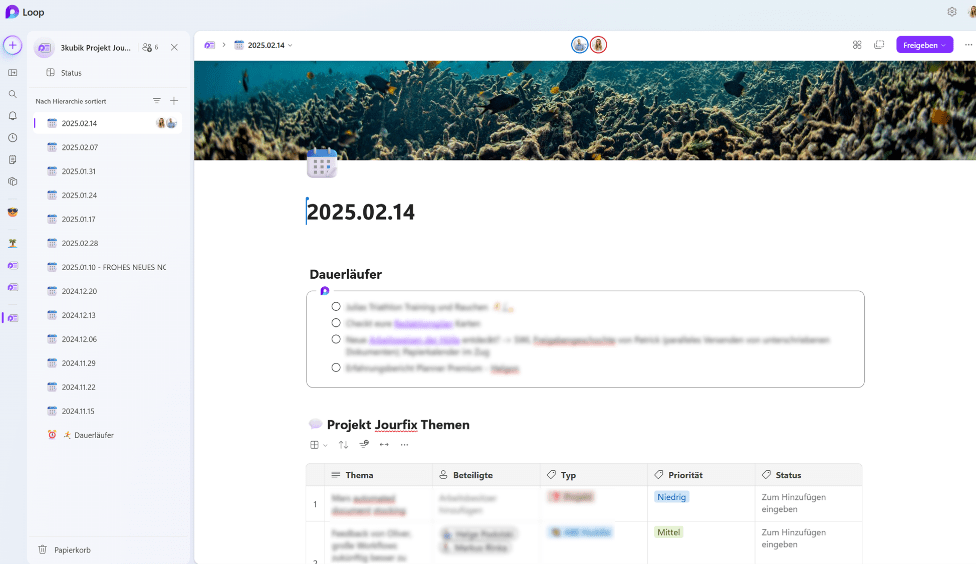
• Project jour fixe: We organize our projects and tasks throughout the week on a Microsoft Loop page, which is stored as a template in our Loop app. This page is recreated from the template every week and contains a Loop component as a table in which all team members can enter their topics throughout the week.
Recurring topics, known as long-runners, are not created again, but linked via an existing Loop component that is regularly updated. The advantage of Loop components is that they can be reused anywhere, whether in Teams chats or other Loop pages. This makes them ideal for topics that need to be tracked on an ongoing basis.
This structure ensures that even colleagues who have been on vacation or sick can always see which topics have been discussed. These meetings often result in specific tasks, which are then transferred directly to KanBo and followed up on.
I highly recommend this approach because it provides greater clarity, transparency, and structure and strengthens communication within the team—regardless of whether you work on-site or remotely.
Minimize repetitive work with templates
Many tasks are repeated regularly. Instead of starting from scratch every time, I recommend using templates and automation. This not only saves valuable time, but also reduces errors and ensures a consistent way of working. This method has proven to be extremely effective for us, which is why we use various approaches to make our processes efficient:
• KanBo board and card templates: Standardized processes facilitate the processing and handover of tasks
• Document templates in SharePoint: Important documents are stored in a central location and are always up to date
• Automated workflows for recurring tasks: This saves us manual work steps and allows us to focus on more important issues
These optimizations have enabled us to use our Friday afternoons for internal topics, innovation projects, and further training. This allows us to strike a balance between operational work and strategic development.
Even though we rely on KanBo, SharePoint, and PowerAutomate here, it is important to check the technical possibilities in your own systems. No matter which tool you use, there is always potential for optimization; you just have to know how to use it correctly.

Efficient research and content creation with Microsoft Copilot & ChatGPT
Two tools that I can wholeheartedly recommend are Microsoft Copilot and ChatGPT—both are based on OpenAI technologies and make our daily work much easier. The prerequisite for this is conscious and responsible use. We consistently take care not to enter any sensitive company data, personal information, or confidential content.
Instead, we use the tools specifically for the following tasks:
• General research on best practices, methods, and technologies
• Textual support in the creation and optimization of blog posts (such as this one) or workshop content
• Creative brainstorming for formulations and concepts
• Technical assistance in finding solutions to avoid tedious manual research, such as on JSON, M, HTML, and CSS codes.
By using this AI-supported assistance in a conscious and data protection-compliant manner, we save valuable time and can concentrate on more strategically important tasks. Without Copilot & ChatGPT, this blog post would probably not exist in this form – because not everyone is so linguistically or rhetorically skilled that they can produce fluent texts at the first attempt. Sometimes a sparring partner (or a Copilot 😉) for ideas and formulations is simply worth its weight in gold – in this case, our digital helper.
At the same time, we should see the EU AI Act as an opportunity, because ultimately it is about protecting us as citizens.
Artificial intelligence will be used more transparently in the future, and AI-generated content will be easier to recognize because it must be directly labeled, just as is the case in this blog post.
A possible note that complies with the requirements of the EU AI Act and identifies this text as AI-assisted could read as follows:
Note: Parts of this blog post were created with the assistance of artificial intelligence (ChatGPT). All content has been reviewed and edited.
Conclusion
Efficient work organization requires well-thought-out processes and the right tools. My clear recommendation is based on what has proven successful for us: KanBo for task management, Outlook for scheduling and time planning, Teams for communication, and Copilot & ChatGPT for efficient research and content creation. Complemented by regular coordination and standardized templates, these methods enable a structured and stress-free way of working.
Of course, we are not perfect, and no method is free of errors. We strive to adhere to these principles, but we are also constantly learning. Ultimately, it is not about having a rigid solution, but about remaining flexible, optimizing processes, and continuously improving.
Artificial intelligence was used to support the creation of this article. The content was editorially reviewed, revised, and adapted to our quality standards.